


My CityPASS
4.9242.00 Reviews
App Specs
- Version
- 1.13.13
- Updated On
- License
- Free
- Downloads
- 500,000+
- Developer
- CityPASS
- Categories
- Travel & Local
- Platform
- Android
Screenshots
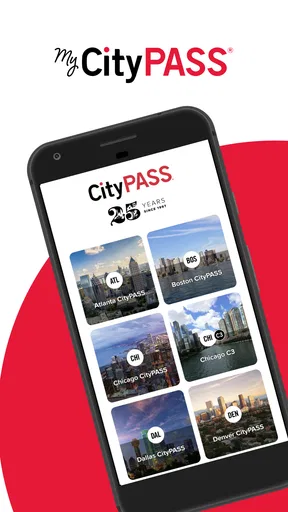
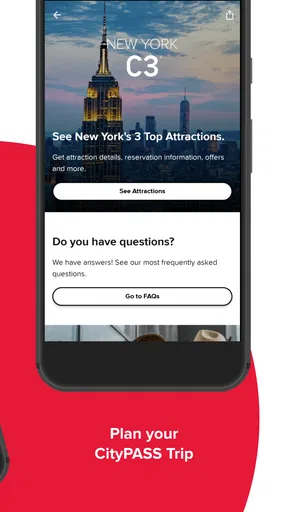
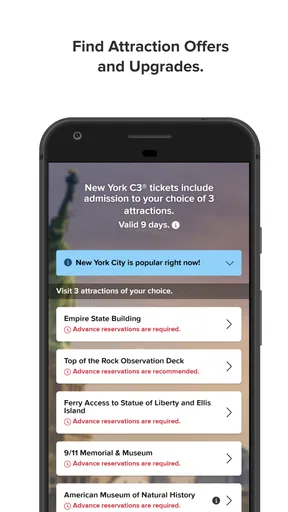
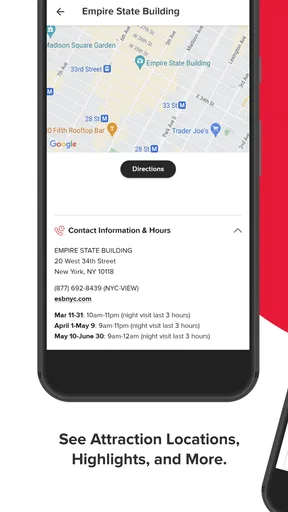
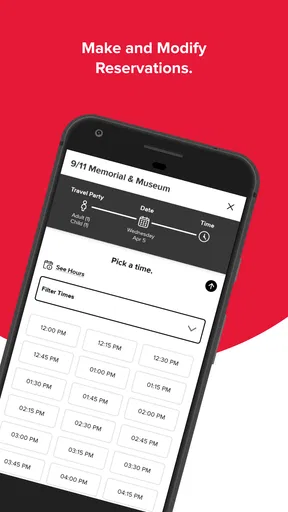
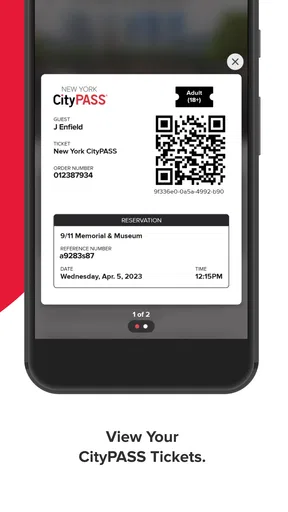
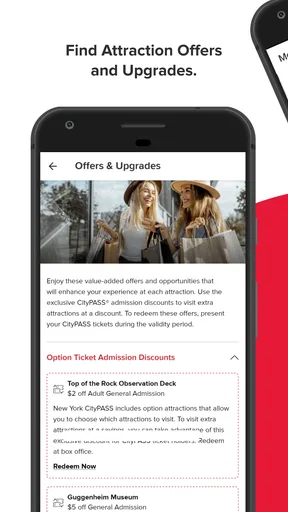
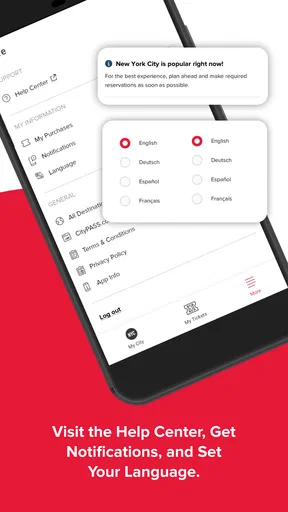
 Analysis by AppCompare
Planning a day around several paid attractions sounds simple until tickets, opening times, confirmation messages, and several people’s phones enter the picture. My CityPASS is designed for that particular travel problem: it brings CityPASS attraction planning into a mobile app instead of leaving everything scattered across browser tabs, email, and screenshots. I found it most useful as a trip companion rather than as a complete travel planner. It can make an attraction-focused day easier to organize, but it does not remove the need to check the details of the places you intend to visit.
Developed by CityPASS, this free Travel & Local app has a 4.9 average from around 13 thousand ratings and has passed 500 thousand installs. It is rated for Everyone, so its audience is broad, from parents arranging a family break to a solo traveler trying to keep a busy sightseeing schedule under control. The app first appeared on April 18, 2023, and the current version is 1.13.13, with support beginning at Android 7.0. Those details matter most when deciding whether an older phone can run it comfortably.
Where the experience usually gets stuck
The first point of friction is often not the app itself but the decision that comes before opening it: knowing exactly what you bought and what you still need to arrange. Attraction passes can involve several visits, and travelers sometimes assume that having the pass automatically answers every practical question. It may not. You still need to understand the visit requirements for each attraction, plan around opening hours, and allow time for transport and queues.
I would begin by treating My CityPASS as a central place for your attraction plans, not as a replacement for common travel sense. Before leaving your hotel, I would look through the pass information and decide which visit matters most that day. This avoids the familiar mistake of building an ambitious schedule around attractions that are far apart or that require more time than expected.
A second sticking point is the difference between a digital pass and a full itinerary. The app can help you manage the CityPASS side of a trip, but it is not the same as a citywide navigation tool, restaurant planner, or general event calendar. If you need walking directions, public transport changes, or last-minute local recommendations, a maps app and the attraction’s own information may still be better companions.
There is also a human problem: group travel. One person may make the purchase, another may hold the phone, and children may be waiting while adults search for the right screen. My practical advice is to decide in advance who will manage the pass during the day. Keep the phone charged, avoid relying on a single screenshot, and open the relevant information before reaching the entrance. That small preparation can matter more than any clever planning feature.
What to check before your first visit
When I set up a travel app, I prefer to do it before I am standing outside an attraction with poor reception, a low battery, and a queue behind me. Install My CityPASS while you still have reliable internet, then open it and make sure your trip information is visible. If you have purchased through a different device or account, take a moment to confirm that you are using the same details associated with the purchase.
Worth Reading Before You Choose

EA SPORTS FC Mobile 26 Is a Bigger Football Game, but It Takes Time

Flipboard Shows What News Apps Must Do Beyond the Feed

Switching to Android Auto Means Rethinking Your Driving Routine

Google Calendar Makes a Crowded Week Easier to Manage

Ludo King Makes the Most of the Minutes Between Plans

Baby Panda World Brings Quick Play to Modern Phones, but Its Game Library Feels Busy
Do not wait until the morning of the busiest sightseeing day to discover that you need to sign in again or locate an order message. Keep the original purchase confirmation available in your email as a backup reference. I would not delete messages simply because the app is installed. A backup is especially sensible when several people are sharing one pass or when the phone belongs to the person who may not attend every attraction.
Android users should also check compatibility before traveling. The app supports Android 7.0 and later, which covers many devices but not every older phone still in use. On iPhone, the sensible equivalent is to keep the operating system reasonably current and install the app before departure. In either case, an update just before a trip is worth handling at home rather than at an entrance.
Another useful check is the phone itself. Make sure the screen is readable outdoors, the battery is healthy enough for a full day, and the device is not overloaded with background downloads. I would also avoid switching between multiple accounts during setup. Account confusion can look like a missing purchase when the real issue is simply that the app is open under a different login.
The best setup is boring: install early, sign in carefully, open the pass once, and keep a backup confirmation. That routine prevents most avoidable stress without requiring technical knowledge.
A better way to organize a sightseeing day
My CityPASS makes more sense when used as part of a simple sequence. First, choose the attraction you most want to see. Second, check the practical conditions for that visit. Third, use the app to keep the pass information ready. Only after that should you fill the remaining time with nearby activities. This order prevents the pass from dictating an unrealistic schedule.
For a family, I would place the most important attraction earlier in the day when everyone has more energy. For a couple, I might group visits by neighborhood and leave a flexible block between them. For a solo traveler, the app is useful as a compact reference because there is no need to coordinate several people’s decisions at every step. The trade-off is that the app cannot make a crowded attraction feel uncrowded, so flexibility remains important.
A less obvious benefit is psychological rather than technical: having the pass details in one place reduces the number of decisions you make while walking around. I found that useful when a day became slower than expected. Instead of searching through old messages, I could return to the attraction plan and decide what still made sense. That is a small improvement, but on a long city break small improvements add up.
Recovering when the normal workflow breaks
If the app opens but the expected pass is not immediately visible, I would not start by reinstalling it. First, check the account or email used during purchase. Then close and reopen the app, confirm that the phone has a stable connection, and look again. This basic sequence is safer than repeatedly creating new accounts or attempting another purchase.
If the phone is offline, move somewhere with a better signal or connect to trusted Wi-Fi, then retry. A weak connection can make a normal loading delay look like a missing order. I would also check whether the app needs an update through the relevant app store, especially if it has not been opened for a long time. Since the current Android version is 1.13.13, an outdated installation may behave differently from the version currently maintained by CityPASS.
When a screen appears stuck, give it a moment before tapping repeatedly. Multiple taps can create uncertainty about whether an action was accepted. If the app still does not respond, close it fully and reopen it. On Android, restarting the phone can help with temporary system issues; on iPhone, the equivalent is closing the app and restarting the device if necessary. These are ordinary recovery steps, but they are more useful than guessing at hidden settings.
Suppose the app works at home but not at the attraction. I would separate three possibilities: the phone has a connectivity issue, the account is wrong, or the attraction has a separate operational requirement. Check the first two calmly, then ask the attraction staff what they need to see. Staff at the venue are in a better position to explain entrance procedures than a traveler trying to diagnose everything from a queue.
If a purchase or pass still cannot be found after checking the correct account and connection, keep the original confirmation ready and contact CityPASS support through the official channel associated with the purchase. Include the email used, the relevant order details, and a clear description of what appears on screen. Avoid sending payment information in an open public forum. Clear details help support distinguish an account problem from an attraction-entry question.
When the app is not the cause
Travel apps receive blame for problems created by the destination itself. An attraction may alter its entrance process, limit capacity, require a reservation, close part of a venue, or operate on a schedule that differs from your assumption. My CityPASS cannot control those conditions. The app may correctly show your pass while the day still needs to be rearranged.
This is why I recommend checking the attraction’s current visitor information shortly before going. I am not suggesting that you abandon the app; I am suggesting that you use the right source for each question. The CityPASS app is appropriate for managing the pass relationship, while the attraction is the better authority for same-day operational details.
Transport is another common source of confusion. If a train is delayed or a bus route changes, the pass has not failed. A maps application can help you find another route, while My CityPASS remains useful for the attraction side of the plan. Keeping those jobs separate makes troubleshooting much easier.
Phone hardware can also be responsible. A cracked screen, aggressive battery-saving mode, a nearly full device, or a camera that struggles to display a code can create an entrance problem that looks like an app defect. I would test the phone at home by opening the pass, increasing screen brightness, and confirming that the device remains responsive. Carrying a compact power bank is more practical than hoping the battery lasts through every photo, map search, and ticket check.
Privacy-conscious travelers may also prefer not to keep every travel detail on one device. That is a valid reason to use the app selectively and retain the purchase confirmation separately. My CityPASS is convenient, but convenience should not mean surrendering your only route to the information you need. A second adult in the group can keep the confirmation, or you can store it in a secure offline location for personal use.
Who will get the most from it
I think My CityPASS is a strong fit for travelers who have already decided to use CityPASS and want a more orderly way to manage attraction visits. Families benefit from having less paper and fewer browser tabs. Visitors on a short break can use it to keep the main sightseeing plan accessible while adjusting the day around energy, weather, or transport.
It is also useful for people who dislike administrative clutter. If your inbox is full of booking messages and you are not sure which confirmation belongs to which visit, a dedicated pass app can make the trip feel more manageable. The value is not that it turns planning into magic; the value is that it gives the CityPASS portion of the trip a clear home.
I would be more cautious recommending it to someone who has not chosen CityPASS and simply wants a general city guide. A maps app, the official websites of individual attractions, or a broad itinerary planner may be more suitable for that traveler. Likewise, if your trip is centered on free parks, neighborhood walks, restaurants, or spontaneous local events, an attraction-pass app may add little.
Compared with keeping a pass in a browser, the dedicated app feels more focused and easier to return to during the day. Compared with paper, it is less likely to be misplaced but more dependent on battery, account access, and the phone working properly. Compared with a general travel planner, it is narrower but potentially clearer for CityPASS visits. That narrowness is both its strength and its limitation.
Small habits that make the app more dependable
- Open the pass before leaving accommodation, not for the first time at the entrance.
- Keep the purchase confirmation available separately in case the phone, account, or connection causes trouble.
- Choose a daily priority before arranging optional visits around it.
- Check attraction-specific visitor information close to the day of travel.
- Assign one person to manage the pass during group visits and keep another person informed.
- Use a maps app for transport and directions rather than expecting the pass app to handle every travel task.
These habits also answer a question many travelers have after downloading it: can the app alone guarantee a smooth visit? No app can. My CityPASS can reduce the organizational burden, but the smoothest experience comes from combining it with sensible scheduling, a charged phone, and current attraction information.
My practical verdict
After using it as an attraction-planning companion, I see My CityPASS as a focused utility rather than an all-purpose travel app. Its biggest success is reducing the friction around keeping a CityPASS trip organized. The free price makes it easy to try, and the Everyone rating means it is approachable for most travelers. Its strong user response, including a 4.9 average from around 13 thousand ratings, also suggests that the basic experience is working well for many people.
Still, I would not install it and then stop planning. The app does not replace destination research, transport tools, or a backup plan for a phone problem. Its usefulness depends on entering the trip with the correct account, understanding what each attraction expects, and leaving enough time between visits. Travelers who want a broad city guide may find it too specialized, while CityPASS users are likely to appreciate that specialization.
My recommendation is straightforward: if CityPASS is already part of your trip, install My CityPASS before departure and use it as the central reference for those attraction visits. Test access at home, keep your confirmation safe, and treat venue information as a separate check. Used that way, it is a practical little travel tool that saves attention at exactly the moments when sightseeing days tend to become complicated.
For CityPASS travelers, the app is worth having; for everyone else, its value depends entirely on whether an attraction-pass workflow matches the way you travel.
Pros
- Conveniently stores eligible attraction tickets in one mobile pass.
- Can help reduce admission costs compared with buying some tickets separately.
- Useful for planning visits across multiple attractions in one trip.
- Digital access means there is no need to carry printed vouchers.
- Pass details and attraction information are easy to check while traveling.
Cons
- Attraction coverage varies by city and may not include every popular venue.
- Some attractions require advance reservations despite having a valid pass.
- Savings depend on visiting enough included attractions before the pass expires.
- Ticket terms
- blackout dates
- and entry rules can differ by attraction.
- The app is less useful if your itinerary includes only one or two activities.
FAQs for My CityPASS
What is My CityPASS and what can I use it for?
My CityPASS is a mobile companion for managing and using CityPASS attraction tickets in participating destinations. After purchasing a CityPASS product, the app can help you access ticket details, review included attractions, check admission information, and organize your sightseeing plans. Availability and features may vary depending on the city, ticket type, and current CityPASS policies.
Can I purchase CityPASS tickets directly through the My CityPASS app?
The app may provide information about CityPASS products and direct you to available purchasing options, but the exact buying process can differ by destination and product. Before downloading, check whether your selected city supports in-app purchasing or requires you to complete the transaction through the official CityPASS website. Always confirm the ticket details, validity period, and refund conditions before paying.
How do I add or access my CityPASS tickets in the app?
After purchasing a CityPASS product, you generally access it using the email address, confirmation information, or account details connected with your order. Depending on the ticket format, the app may display a digital pass, reservation instructions, or attraction details. Keep your confirmation available and make sure the app is updated, especially if you need to show a barcode or ticket while visiting an attraction.
Does My CityPASS work offline, and do I need an internet connection?
Some ticket information may remain available after it has been loaded, but you should not assume that every feature works offline. Attraction updates, reservations, maps, account synchronization, and certain ticket-verification functions may require mobile data or Wi-Fi. For a smoother visit, open the app before leaving, save important confirmation details, charge your phone, and carry backup information when permitted.
Which attractions and cities are supported by My CityPASS?
My CityPASS is designed for destinations included in the CityPASS program, but the attractions available to you depend on the city and the specific pass purchased. Each product can include a different combination of museums, theme parks, observation decks, aquariums, or other experiences. Review the official attraction list before downloading, since participating venues, reservation rules, opening hours, and admission requirements can change.


